What it looks like
The print template
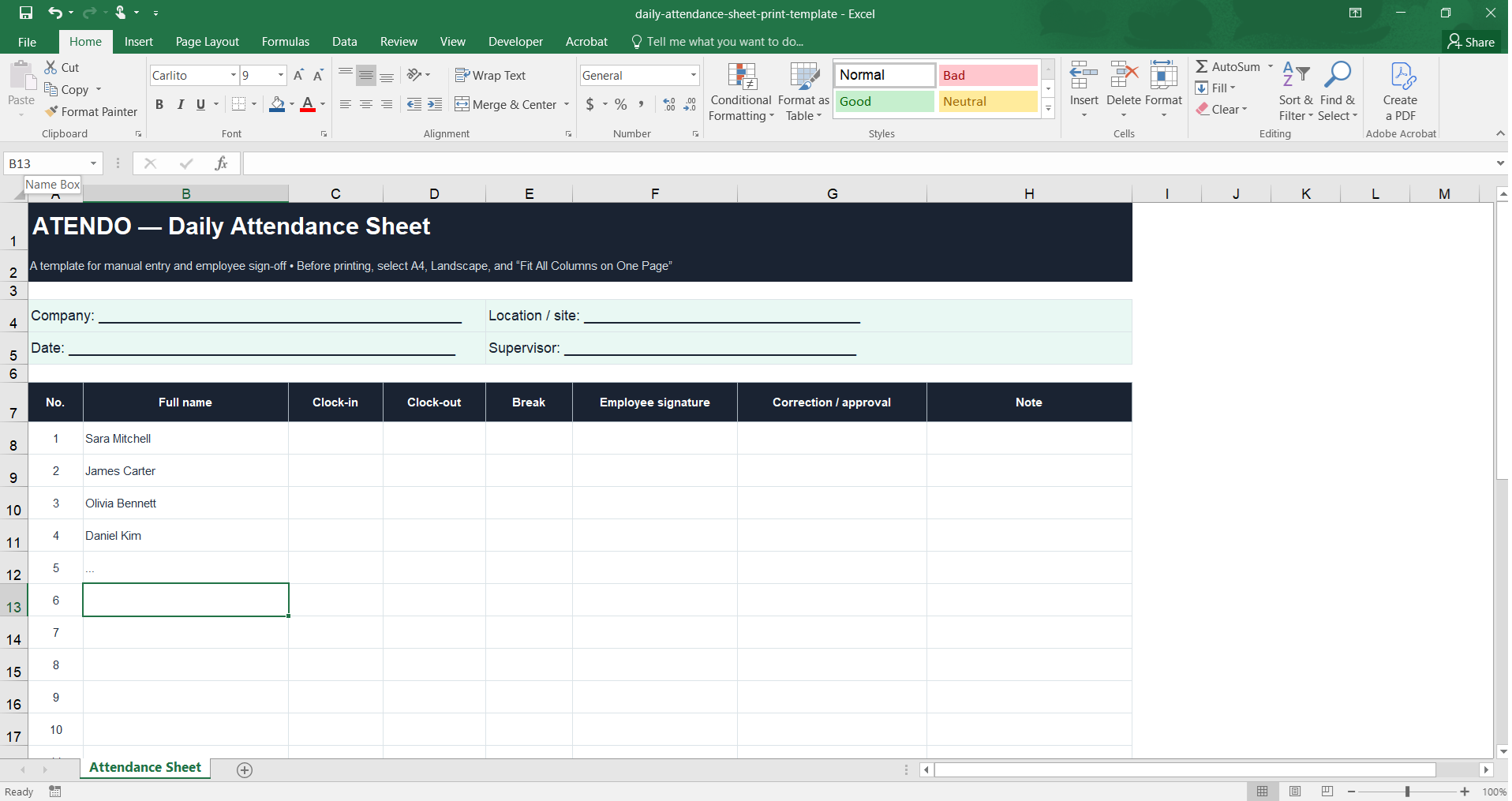
Print it and leave it at the front desk or with a supervisor: employees sign themselves in and out by hand, no computer required.
Download the print template.xlsx file · no sign-up · ready to print on A4
Download started.
The sheet is ready to print, but the data still gets retyped into Excel at month end. If you run multiple locations or shifts, take two minutes to check how much of that re-typing Atendo can take off your hands.
Check your processFill in the header — company, location/site, date, and supervisor.
Print the sheet — before printing, select A4, Landscape, and "Fit Sheet on One Page" so every column fits on one side.
Employees sign in by hand — for each row: number, full name, clock-in, clock-out, break, and signature.
Record corrections — the "Correction / approval" column is for later changes, confirmed by an authorized person under your internal procedure.
File the completed sheet — following your company's internal procedure, and transfer the data into the Excel monthly-total template if needed.
The template is an organizational tool and does not constitute legal advice. Corrections and later entries should be confirmed by an authorized person under your company's internal procedure.
Company, location/site, date, and supervisor — fill in before printing or by hand on-site.
Number, full name, clock-in, clock-out, break, employee signature, correction/approval, and a note — one row per employee.
The sheet is pre-set for A4 printing in landscape orientation, with every column fitting on one side.
Free, no sign-up. Ready to print on A4, landscape.
Download the print template (.xlsx)Once you've transferred the data from paper, use the Atendo Excel template for direct entry and an automatic monthly total of hours per employee.
Open the Excel time tracking template →A paper sign-in sheet can work well for a small team at one location. Problems start once the number of locations and shifts grows, sheets pile up or go missing, and HR retypes the data into Excel by hand every month.
See how Atendo automates time tracking →Before printing, select A4, Landscape, and "Fit Sheet on One Page" (or "Fit All Columns on One Page") in your print settings.
Corrections and later entries should be confirmed by an authorized person under your company's internal procedure — that's what the "Correction / approval" column is for.
You can transfer the data by hand into the Atendo Excel template for a monthly total of hours, or consider switching to automated time tracking.