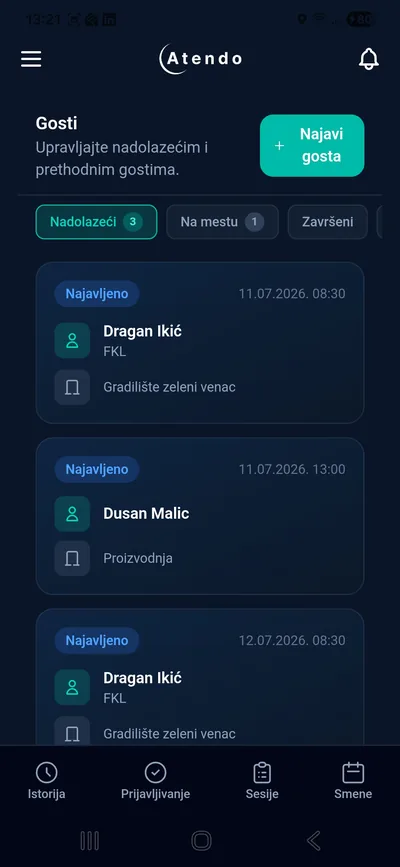
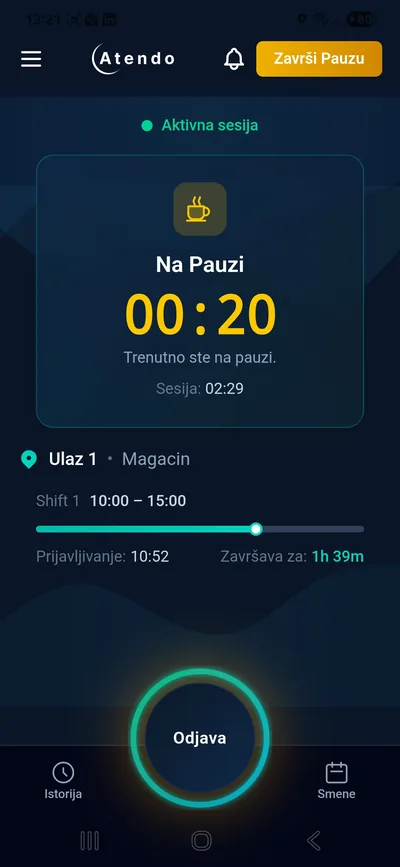
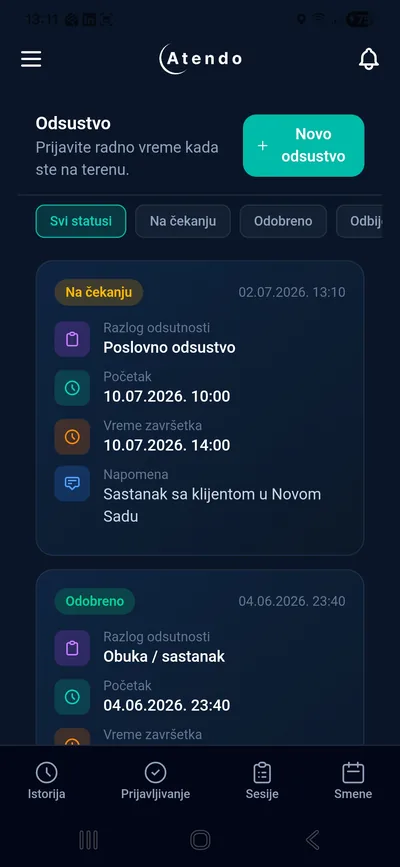
Atendo's job isn't done the moment an employee clocks in. The system applies company rules, spots deviations, routes them to the right person, and gives leadership the information it needs to decide.
Your work rules get mirrored into the system first. Atendo then applies them across locations, shifts and employee groups. Clean sessions pass through without intervention, while deviations get flagged and routed to the right person.
Mirror
Enter company rules once
Apply
The system applies them automatically
Detect
Deviations get detected automatically
Surface
Everyone sees only what they need
A store, a plant, a warehouse and a field team don't need to use the same device or the same clock-in method. Atendo brings every method together in one system.
For employees with a smartphone
BLE beacon
The mobile app detects a BLE device at the approved location and logs presence without scanning a code or tapping a card.
QR code
The employee scans a QR code posted at the entrance — clock-in in a single tap.
NFC tap
Tapping the phone against an NFC tag on the entrance door — instant clock-in.
GPS clock-in
For field locations where a physical device isn't practical — clock-in within an approved GPS zone.
For sites where smartphones aren't practical or aren't allowed
The employee taps a card against a reader, and Atendo logs the start or end of the work session according to the rules you've defined.
Advantages of terminal clock-in
Terminals and readers from leading manufacturers are supported: ZKTeco · Suprema · Hikvision
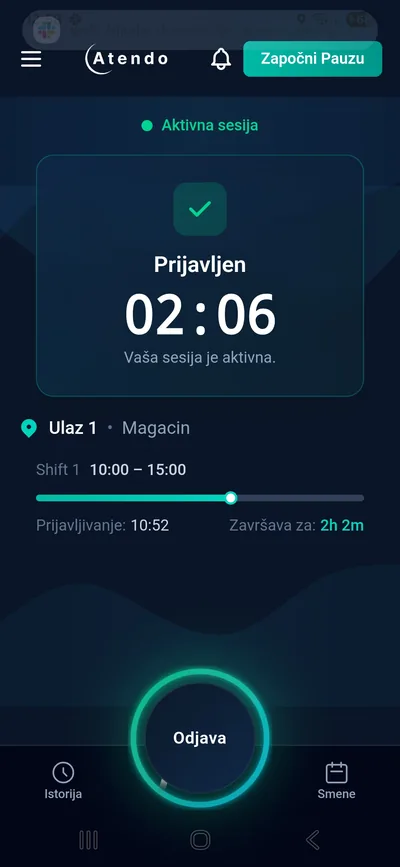
Mobile app
Each location can use a different method — or a combination of methods. Records always stay unified.
When a workplace requires location confirmation, Atendo checks during the active work session whether the employee is inside the approved GPS zone or within range of a BLE device.
Privacy protection: Atendo does not collect or track an employee's location outside an active work session.
For field and outdoor locations
For enclosed facilities
When the system detects that someone has left the approved location during an open session, it automatically creates an exception the responsible person can review. The manager doesn't have to watch for it themselves — the system tells them.
Atendo supports different levels of automation, so a company doesn't have to change the way it works all at once. You can start manually, use templates, or let the system assign shifts automatically based on clock-in.
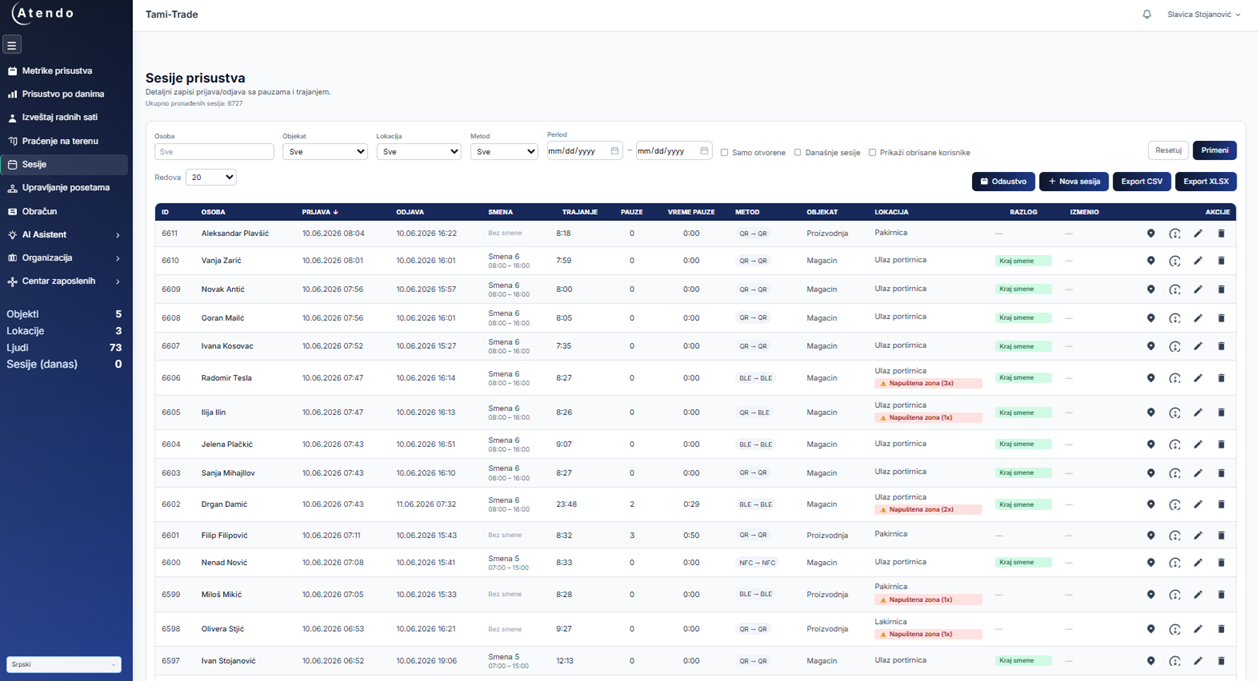
Daily overview
An overview of who's present, shift assignments and deviations for the current day — without reviewing individual records.
The admin picks who works which shift, on which day. Full control, no automation. A good fit for companies with a small, stable crew and a schedule that keeps changing.
The system generates shift instances for all employees in advance, based on a template. The admin can adjust before the period starts. A good fit for companies with a predictable but variable schedule.
The shift is detected at every clock-in — no list, no manual entry. The admin creates a template once. Any employee who clocks in is automatically assigned a shift based on clock-in time and the rules you've defined.
Required work hours are calculated automatically for each month, factoring in working days and holidays. It's clear who has met the target, who's below it, and who has overtime.
The employee clocks in. The system recognizes which shift they belong to. No one enters a shift manually.
Atendo tracks records and spots patterns that would otherwise go unnoticed until month-end.
Lateness
An employee who's late three times in two weeks
Absences
Repeated absences with no logged reason
Overtime
Excessive overtime that calls for a review
Operational exception
A one-off deviation — a missed clock-out, an early departure, an overrun shift. The system logs and displays it, but doesn't automatically escalate it into an HR case.
HR case
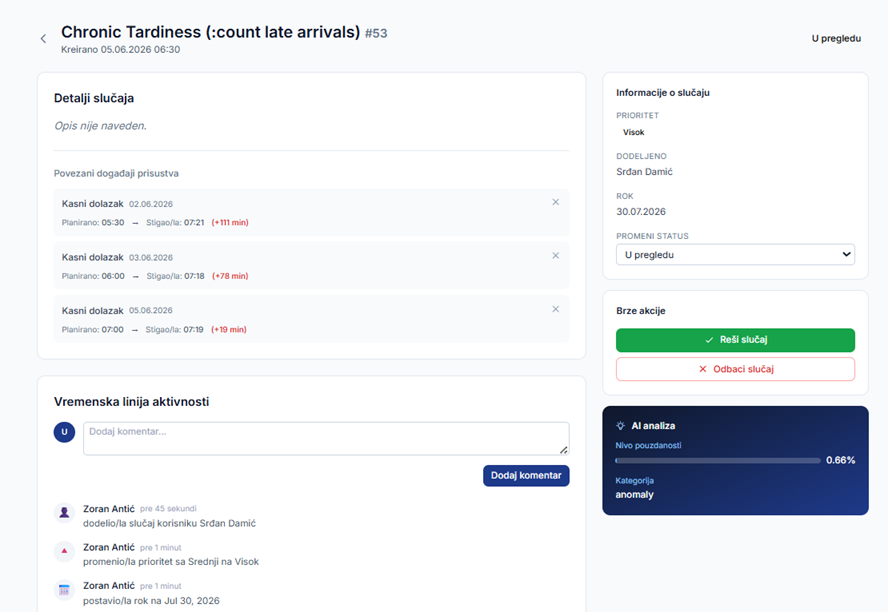
When the system detects a repeating pattern or a predefined criterion, it suggests opening an HR case. HR decides whether to accept the suggestion, dismiss it, or assign it to the responsible person.
Example: an automatic HR case suggestion with AI analysis
The system asks the employee first
E.g. "You were 25 min late — add a reason." The reply enters the case history before HR ever sees it.
The system creates a draft case
Not a direct escalation — HR reviews and decides
HR accepts, dismisses, or assigns it
With a deadline and a responsible person
The case gets resolved or escalated
A critical case has a 24h deadline — missing it automatically escalates to the responsible person. The complete action history stays on record — who did what, and when. Nothing gets lost in a chat message or a verbal conversation.
The system detects. HR decides. Every step stays on record.
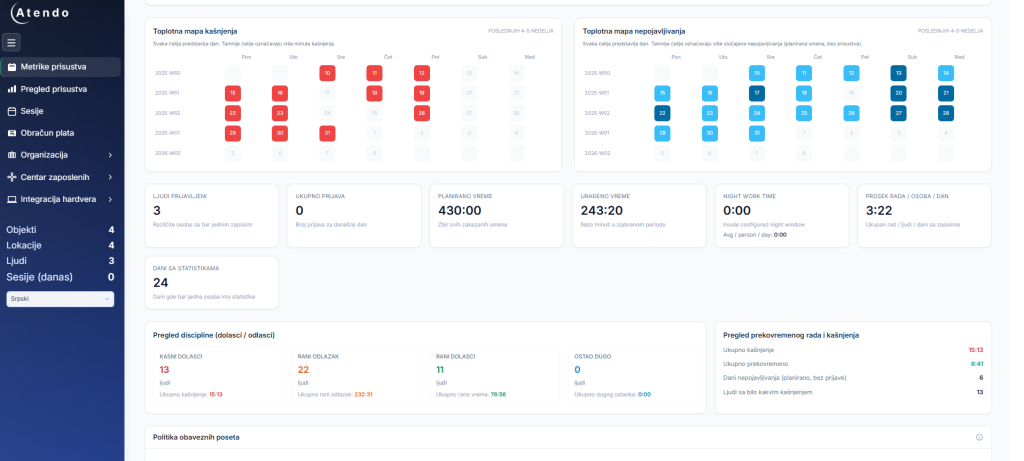
A manager doesn't need to know who forgot to clock out. They need to know: how attendance looks this month, where the problems are concentrated, and whether they can trust those numbers.
Total hours
Total hours worked in the period, by location, department or employee
Lateness
How many employees were late, and for how many minutes in total
Heatmap
Which days and which locations show the biggest attendance swings
Overtime
How many overtime hours, and who accumulated them
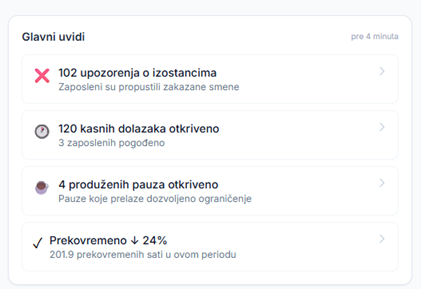
The system automatically surfaces the most important attendance changes — absence alerts, late arrivals, extended breaks and overtime trends — without the manager having to compile the overview themselves.
"Needs My Attention" — a personal list, not a general report: cases assigned to you, suggestions for your sites, and missed deadlines. A manager doesn't have to search the whole system to find what's theirs.
Assigned to you
2 HR cases awaiting a decision
Your sites
1 new suggestion — Belgrade 3
Missed deadlines
0 — everything on schedule
Every Monday morning, the system sends a weekly digest: top risks, top wins (employees who improved a pattern), and missed deadlines — for your sites only. An empty digest doesn't get sent.
All metrics can be exported to Excel or CSV for further planning or to prepare data for payroll.
Access to this view is controlled by role — not everyone sees the same data.
A manager sees data built on unified rules and logged events, without piecing together the picture from messages and individual reports.
The AI reads the records that already exist in Atendo and answers in seconds, instead of a manager manually compiling a report. When it spots a pattern — say, chronic lateness — it suggests opening an HR case, but HR still makes the decision.
Atendo AI assistant
Answers based only on data you're authorized to access
Pick a question to see how the AI assistant answers:
Checking the data...
This is a simulation — in Atendo, you ask about your real data.
It suggests the next step — say, opening an HR case when it spots a pattern — but nothing executes until HR confirms. If there's no response within 15 minutes, the suggestion simply expires.
AI can
AI can't
Employees, site managers, HR, reception, finance and leadership all use the same system, but each of them only sees the data they need for their job.
Example user perspectives
Employee
Site manager
HR
Reception / Security
Finance / Payroll
Leadership / Management
Roles aren't limited to these examples. Atendo lets you define exactly which modules, data and sites each role can see, and which actions they have access to — view, edit, approve or export. Permissions are set per company and per site.
Find out which of these features make sense for your case — no technical pitch, just concrete examples from your industry.
Book a free Atendo Audit